


USB Kurulumunda yuklenme ekranina gelene kadar sorun yok fakat macos bigsur yukleme ekrani kısmına geldigimde yukleyecegim diski secip yukle dedigim zaman yukleme islemi baslamiyor.Kullandığım imaj ise macOS Big Sur 11.2 (20D64)
Bootloaderim: OpenCore EFI Update v0.6.6
Bios ayarlarım bu şekildedir.
BIOS SETTINGS (Bios Revision F11L)
• Enter BIOS -> Press Delete -> Enter Setup
• Save & Exit -> Load Optimized Defaults
• Boot -> CFG Lock -> Disabled
• Boot -> Windows 8/10 Features -> Win 8/10 WHQL
• Boot -> CSM Support -> Disabled (Can be set to Enabled if need be but try to have it set to Disabled first)
• Favourites -> Extreme Memory Profile (X.M.P.) -> Profile1
• Favourites -> VT-d -> Disabled (Can be set to Enabled or Disabled, Your choice)
• Settings -> IO Ports -> Internal Display Output -> PCIe 1 Slot
• Settings -> IO Ports -> Internal Graphics -> Enabled (Disabled If Using SMBios 1,1)
• Settings -> IO Ports -> DVMT Pre-Allocated -> 64M
• Settings -> IO Ports -> DVMT Total GFX0-Allocated -> 256M
• Settings -> IO Ports -> Aperture Size -> 256MB
• Settings -> IO Ports -> Wifi -> Disabled
• Settings -> IO Ports -> Audio Controller -> Enabled
• Settings -> IO Ports -> Above 4G Decoding -> Enabled
• Settings -> IO Ports -> Super IO Configuration -> Serial Port -> Disabled
• Settings -> IO Ports -> USB Configuration -> Legacy USB Support -> Auto
• Settings -> IO Ports -> USB Configuration -> XHCI Hands-off -> Enabled
• Settings -> Miscellaneous -> Software Guard Extensions (SGX) -> Disabled
• Settings -> Platform Power -> Platform Power Management -> Enabled
• Settings -> Platform Power -> ErP -> Enabled
• Settings -> Platform Power -> RC6(Render Standby) -> Enabled
• Save & Exit → Save & Exit Setup
Bootloaderim: OpenCore EFI Update v0.6.6
Bios ayarlarım bu şekildedir.
BIOS SETTINGS (Bios Revision F11L)
• Enter BIOS -> Press Delete -> Enter Setup
• Save & Exit -> Load Optimized Defaults
• Boot -> CFG Lock -> Disabled
• Boot -> Windows 8/10 Features -> Win 8/10 WHQL
• Boot -> CSM Support -> Disabled (Can be set to Enabled if need be but try to have it set to Disabled first)
• Favourites -> Extreme Memory Profile (X.M.P.) -> Profile1
• Favourites -> VT-d -> Disabled (Can be set to Enabled or Disabled, Your choice)
• Settings -> IO Ports -> Internal Display Output -> PCIe 1 Slot
• Settings -> IO Ports -> Internal Graphics -> Enabled (Disabled If Using SMBios 1,1)
• Settings -> IO Ports -> DVMT Pre-Allocated -> 64M
• Settings -> IO Ports -> DVMT Total GFX0-Allocated -> 256M
• Settings -> IO Ports -> Aperture Size -> 256MB
• Settings -> IO Ports -> Wifi -> Disabled
• Settings -> IO Ports -> Audio Controller -> Enabled
• Settings -> IO Ports -> Above 4G Decoding -> Enabled
• Settings -> IO Ports -> Super IO Configuration -> Serial Port -> Disabled
• Settings -> IO Ports -> USB Configuration -> Legacy USB Support -> Auto
• Settings -> IO Ports -> USB Configuration -> XHCI Hands-off -> Enabled
• Settings -> Miscellaneous -> Software Guard Extensions (SGX) -> Disabled
• Settings -> Platform Power -> Platform Power Management -> Enabled
• Settings -> Platform Power -> ErP -> Enabled
• Settings -> Platform Power -> RC6(Render Standby) -> Enabled
• Save & Exit → Save & Exit Setup
Ekli dosyalar
-
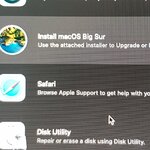 756.6 KB Görüntüleme: 319
Son düzenleme:
- Laptop Modeli
- Desktop
- Anakart Modeli
- Z390 AORUS MASTER (rev. 1.0)
- İşlemci Modeli
- INTEL Core i5 9600K 3.7GHz 9MB Önbellek 6 Çekirdek 1151 14nm İşlemci
- Grafik Kartı
- Sapphire Pulse AMD Radeon RX570 8GB 256Bit GDDR5 (DX12) Ekran Kartı
- Ses Kartı Modeli
- 125dB SNR AMP-UP Audio with ALC1220 & High-End ESS SABRE 9118 DAC with WIMA audio
- Ağ Aygıtları
- Intel® Wireless-AC 9560-Intel® Ethernet Connection I219-V
- Disk ve RAM
- Samsung evo ssd 500gb- Corsair MP510 240GB NVMe PCIe M.2-GIGABYTE 16GB (2x8GB) Aorus RGB 3200MHz CL16 DDR4 Ram


