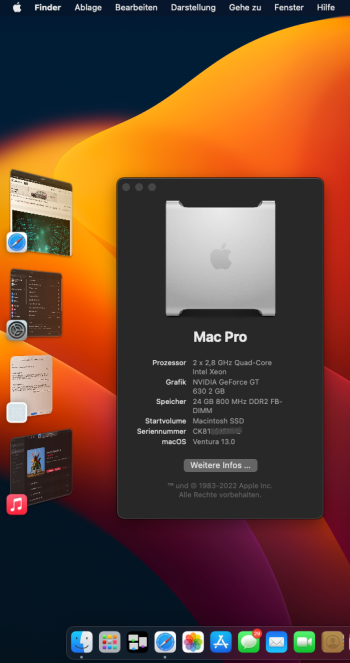
Hocam anladığım şu: OCLP 0.5.0 (alfa) aşamasında. Buna ulaşmak için Windows'taki gibi OCLP dev kanala üye olmanız gerekiyor( ama nasıl?). Ve "mac komutları vb. bilmiyorsanız, bulaşmayın,nihai sürümü bekleyin" diyorlar. Sanırım ileri ki zamanlarda bunun önce betası ve sonra indirilebilir içeriği yayınlanacak. Tahminim; başarılı olanlar bu dev kanalda.
Ve böyle bir uyar var: "Geliştiriciler, insanların deney yapmasını engellemek için Alfa yapısını çekti. "
Son sözüm: Sabredip bekleyeceğiz. Saatlerce boşuna aynı şeyleri tekrar tekrar yapıyoruz.
Booting macOS Ventura Developer Beta 1 on the 2010 Mac Pro
Resources required:
macOS 13 InstallAssistant (Installer):
http://swcdn.apple.com/content/down...3xjgyznf6415vin9xv7a6ws5/InstallAssistant.pkg
M1 build of os.dmg disk image loaded onto a USB drive:
https://drive.google.com/uc?export=download&id=12vCE0MAzcRqN7zJu5EbbzsZeroeI_Gsm
Modified OCLP EFI linked in the OpenCore on Mac Pro post (or at least the APFS Patch under Kernel -> Patch)
Option 1:
1. You'll want to get macOS Ventura installed on a Haswell+ machine. Once you reach the desktop, reboot to the recovery environment.
2. From the recovery, you can open up a terminal window and mount the fresh install's preboot volume (diskutil list, diskutil mount disk#s#)
3. Once you get the preboot mounted, you'll want to navigate to /Volumes/Preboot/Long-UUID(check this using ls)/cryptex1/current/
. Run an ls command here, and you should see the os.dmg file
5. Now run a cp command and replace the Preboot's os.dmg with the M1 os.dmg (should be on your USB drive)
6. Shut down your Haswell+ Mac and swap the Ventura drive into your cMP. Ventura should now boot!
Option 2:
1. You'll want to get Ventura "installed" onto your CMP. macOS will eventually stall at a point during the verbose portion of the first "installed" boot.
2. Once macOS stalls, reboot and ensure that macOS is still stalled.
3. Then you can reboot again into the recovery environment
4. From the recovery, you can open up a terminal window and mount the fresh install's preboot volume (diskutil list, diskutil mount disk#s#)
5. Once you get the preboot mounted, you'll want to navigate to /Volumes/Preboot/Long-UUID(check this using ls)/cryptex1/current/
. Run an ls command here, and you should see the os.dmg file
7. Now run a cp command and replace the Preboot's os.dmg with the M1 os.dmg (should be on your USB drive)
8. Once that's done, reboot your machine and Ventura should boot to either a loading bar at ~60% with a cursor or a grey screen with a beachball.
9. Now you'll need to remove the Ventura drive from your cMP and install it/boot from it in another mac that is Ivy Bridge+.
This is done because the Ventura setup assistant does not play well with Non-AVX1 machines
Once you get through the Ventura Setup assistant, remove the drive and reinstall it in your cMP
10. If all things go to plan, you should boot into the Ventura desktop!
Ama bu gerçek mac için galiba.
Peki biz bunu mac'imiz gerçekmiş gibi uygulayamaz mıyız?
Uyduk mu? Benim son durum malum: D
Ekli dosyayı görüntüle 46359
Ve yine kernel panic, yine hüsran. Bu kernel panic sorunu şu aşamada oluyormuş. Durumlar false= kernel panic.
cpuıd / grep-ı avx
AVX/YMM features (0xd/2):
AVX/YMM save state byte size = 0x00000100 (256)
AVX/YMM save state byte offset = 0x00000240 (576)
AVX: advanced vector extensions = true
AVX2: advanced vector extensions 2 = false
AVX512F: AVX-512 foundation instructions = false
AVX512DQ: double & quadword instructions = false
AVX512IFMA: fused multiply add = false
AVX512PF: prefetch instructions = false
AVX512ER: exponent & reciprocal instrs = false
AVX512CD: conflict detection instrs = false
AVX512BW: byte & word instructions = false
AVX512VL: vector length = false
AVX512VBMI: vector byte manipulation = false
AVX512_4VNNIW: neural network instrs = false
AVX512_4FMAPS: multiply acc single prec = false
XCR0 supported: AVX state = true
XCR0 supported: AVX-512 opmask = false
XCR0 supported: AVX-512 ZMM_Hi256 = false
XCR0 supported: AVX-512 Hi16_ZMM = false
Ve nihayet buldum:
Görüntüle ve Yandex.Disk'ten indir

disk.yandex.com.tr
strangerone Son durum nedir hocam?


 forums.macrumors.com